





1. CREATE DATABASE
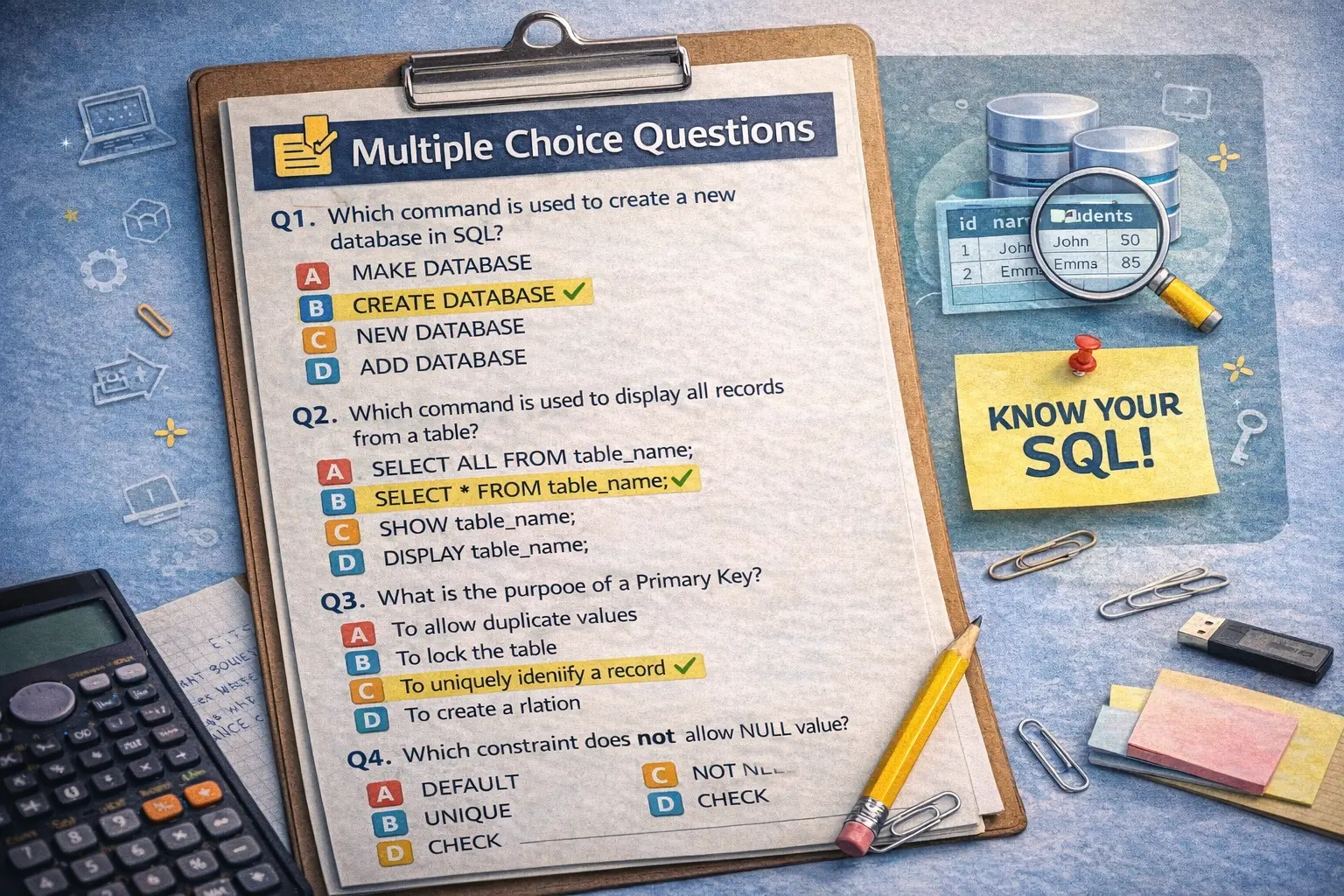
- It is used to create a new database.
- Syntax: CREATE DATABASE database_name;
- Example: CREATE DATABASE school;
2. USE
- It is used to select a database before performing any operation.
- Syntax: USE database_name;
- Ex.- USE school;
3. CREATE TABLE
- It is used to create a new table inside a database.
- Syntax: CREATE TABLE table_name (column1 datatype, column2 datatype, …);
- Ex.- CREATE TABLE student (roll_no INT PRIMARY KEY, name VARCHAR(50), marks INT, dob DATE);
4. INSERT INTO
- It is used to insert/add new records into a table.
- Syntax: INSERT INTO table_name VALUES (value1, value2, …);
- Ex.- INSERT INTO student VALUES (1, ‘Ankit’, 85, ‘2007-03-15’);
5. SELECT
- It is used to retrieve data from one or more tables.
- Syntax: SELECT column1, column2 FROM table_name;
- Ex.- SELECT * FROM student;
6. WHERE Clause
- It is used with SELECT, UPDATE, or DELETE to filter specific rows.
- Syntax: SELECT * FROM table_name WHERE condition;
- Ex.- SELECT name, marks FROM student WHERE marks > 80;
7. UPDATE
- It is used to modify existing data in a table.
- Syntax: UPDATE table_name SET column1 = value1 WHERE condition;
- Ex.- UPDATE student SET marks = 95 WHERE roll_no = 1;
8. DELETE
- It is used to delete one or more rows from a table.
- Syntax: DELETE FROM table_name WHERE condition;
- Ex.- DELETE FROM student WHERE roll_no = 2;
9. ALTER TABLE
- It is used to modify table structure (add, delete, rename or modify columns).
- Syntax for adding a column : ALTER TABLE table_name ADD column_name datatype;
- Example: ALTER TABLE student ADD email VARCHAR(50);
- Syntax for adding constraint : ALTER TABLE table_name ADD CONSTRAINT constraint_name constraint_type (column_name );
- Ex. ALTER TABLE student ADD CONSTRAINT ankit_student PRIMARY key (roll_no.);
- Syntax for drop constraint: ALTER TABLE table_name DROP CONSTRAINT constraint_name ;
- Ex. ALTER TABLE student ADD CONSTRAINT ankit_student ;
- Syntax for renaming of column: ALTER TABLE table_name RENAME old_column_name to new_column_name ;
- Ex.- ALTER TABLE table_name RENAME roll_no to student_id ;
- Syntax for drop a column: ALTER TABLE table_name DROP COLUMN column_name;
- Ex.- ALTER TABLE student DROP COLUMN marks;
Syntax for modify a column ( for change the data type or size of an existing column)-
- Syntax- ALTER TABLE table_name MODIFY column_name new_datatype (size);
- Ex.- ALTER TABLE student MODIFY student_name VARCHAR (50);
10. DROP TABLE
- It is used to delete a table completely .
- Syntax: DROP TABLE table_name;
- Ex: DROP TABLE student;
11. TRUNCATE TABLE
- It is used to remove all the records from a table but keep structure.
- Syntax: TRUNCATE TABLE table_name;
- Ex: TRUNCATE TABLE student;
12. ORDER BY
- It is used to sort the results in increasing or decreasing order (ascending or descending order).
- Syntax: SELECT * FROM table_name ORDER BY column_name ASC|DESC;
- Ex: SELECT * FROM student ORDER BY marks DESC;
13. DISTINCT
- It removes the duplicate records from the result.
- Syntax: SELECT DISTINCT column_name FROM table_name;
- Ex: SELECT DISTINCT name FROM student;
14. GROUP BY
- It is used to group rows that have the same values.
- Ex: SELECT class, AVG(marks) FROM student GROUP BY class;
15. HAVING Clause
- It is used to apply a condition on a specific groups (after GROUP BY).
- Ex.: SELECT class, AVG(marks) FROM student GROUP BY class HAVING AVG(marks) > 90;
16. LIKE /UNLIKE Operator
- It is used to search patterns in text data.
- Wildcards: % → any sequence of characters, _ → any single character.
- Example: SELECT * FROM student WHERE name LIKE ‘A%’;
- Example: SELECT * FROM student WHERE name NOT LIKE ‘A%’;
17. BETWEEN / NOT BETWEEN Operator
- It is used to select values within/ not within a range.
- Example: SELECT * FROM student WHERE marks BETWEEN 70 AND 90;
- Example: SELECT * FROM student WHERE marks NOT BETWEEN 70 AND 90;
18. IN /NOT IN Operator
- It is used to match/ unmatched multiple values in a list.
- Example: SELECT * FROM student WHERE name IN (‘Ankit’, ‘Riya’);
- Example: SELECT * FROM student WHERE name NOT IN (‘Ankit’, ‘Riya’);
18. AND / OR Operator
- Using AND , we can combine two or more condition , and only those rows/record that satisfy all the conditions attached with “AND” are shown.
- Example- show the list of female employee who is from Gujrat.
- SELECT * FROM employee WHERE gender=’F’ and city=’Gujrat’;
- Using OR, we extract all the rows from the table that satisfy any one condition attached.
- Example- show the list of employees who belongs to either UP or MP.
- SELECT * FROM employee WHERE city =’UP’ or city=’MP’;