
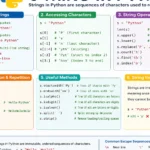


What is a String?
A string is a sequence of characters enclosed in:
- Single quotes
' ' - Double quotes
" " - Triple quotes
''' '''or""" """
Example
name = "Ankit"
city = 'Dhampur'
message = """Welcome to Python"""
Features of Strings
- Strings are immutable
- (cannot be changed after creation)
text = "Python"
# text[0] = 'J'   ❌ Error
- Strings are indexed.
word = "Python"

print(word[0])   # P
print(word[3])   # h
3. String Indexing
- Positive Indexing
As we have seen that list items have an index, we can access items using these indexes
text = "PYTHON"

P   Y   T   H   O   N
0   1   2   3   4   5
- Negative Indexing
Similar to positive indexing, negative indexing is also used to access items, but from the end of the list.
P   Y   T   H   O   N
-6 -5  -4  -3  -2  -1
Example-
text = "Python"

print(text[-1])   # n
print(text[-3])   # h
4. String Slicing
- In Python, slicing is a powerful tool that allows you to manipulate and extract data from sequences such as strings
Syntax
string[start : stop : step]
Example
text = "PYTHON"

print(text[1:4])   # YTH
print(text[:3])    # PYT
print(text[2:])    # THON
print(text[::2])   # PTO
5. String Operators
| Operator | Meaning | Example |
|---|---|---|
+ |
Concatenation | "Hi" + "All" |
* |
Repetition | "Hi"*3 |
in |
Membership | 'P' in "PYTHON" |
Example
print("Hello" + " World")
print("Hi " * 3)
print('P' in "PYTHON")
6. Common String Functions
1. len()
Returns length of string.
text = "Python"

print(len(text))
2. lower()
Converts string to lowercase.
text = "PYTHON"

print(text.lower())
3. upper()
Converts string to uppercase.
text = "python"

print(text.upper())
4. title()
Converts first letter of each word into capital letter.
text = "python programming"

print(text.title())
5. capitalize()
Capitalizes first letter only.
text = "python"

print(text.capitalize())
6. strip()
Removes spaces from both sides.
text = "   Python   "

print(text.strip())
7. lstrip()
Removes spaces from left side.
text = "   Python"

print(text.lstrip())
8. rstrip()
Removes spaces from right side.
text = "Python   "

print(text.rstrip())
9. replace()
Replaces old value with new value.
text = "I like Java"

print(text.replace("Java", "Python"))
10. find()
Returns index position of first occurrence.
text = "Python"

print(text.find("t"))
11. count()
Counts occurrences.
text = "banana"

print(text.count("a"))
12. startswith()
Checks beginning of string.
text = "Python"

print(text.startswith("Py"))
13. endswith()
Checks ending of string.
text = "Python"

print(text.endswith("on"))
14. split()
Splits string into list.
text = "Python Java C++"

print(text.split())
15. join()
Joins list items into string
words = ['Python', 'Java', 'C++']

print(" - ".join(words))
16. isalpha()
Checks if all characters are alphabets.
text = "Python"

print(text.isalpha())
17. isdigit()
Checks if all characters are digits.
text = "12345"

print(text.isdigit())
18. isalnum()
Checks if string is alphanumeric.
text = "Python123"

print(text.isalnum())
19. isspace()
Checks if string contains only spaces.
text = "   "

print(text.isspace())
20. swapcase()
Changes uppercase to lowercase and vice versa.
text = "PyThOn"

print(text.swapcase())
7. Escape Characters
| Escape Character | Meaning |
|---|---|
\n |
New line |
\t |
Tab space |
\\ |
Backslash |
\' |
Single quote |
\" |
Double quote |
8. Important Programs
Program 2: Check Palindrome
text = input("Enter string: ")

if text == text[::-1]:
    print("Palindrome")
else:
    print("Not Palindrome")
Program 3: Count Vowels
text = input("Enter string: ")

count = 0

for ch in text.lower():
    if ch in "aeiou":
        count += 1

print("Total vowels:", count)
Quick Revision Table
| Function | Work |
|---|---|
len() |
Length |
lower() |
Lowercase |
upper() |
Uppercase |
replace() |
Replace text |
find() |
Search position |
count() |
Count occurrences |
split() |
Convert to list |
join() |
Join strings |
strip() |
Remove spaces |
startswith() |
Check beginning |
endswith() |
Check ending |
Conclusion
Strings are one of the most important data types in Python.
They are widely used for:
- Text processing
- Input handling
- Data formatting
- Pattern searching
- File handling
Practice string functions regularly for better programming skills